

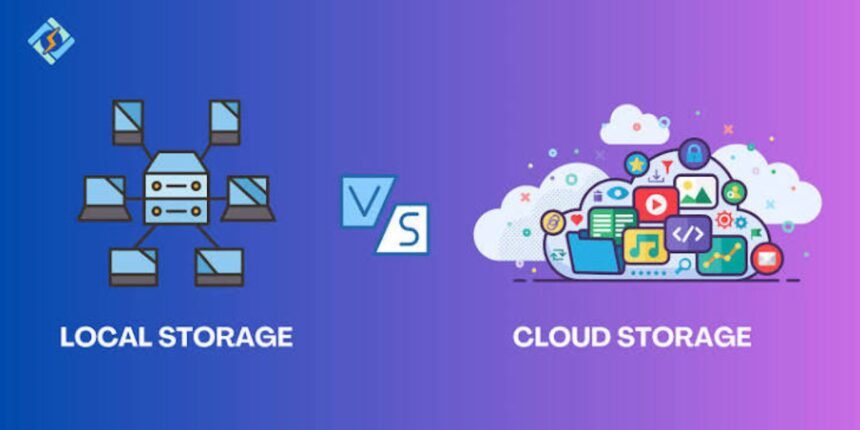
In today’s digital world, storing files safely is important for students, professionals, businesses, and everyday users. From photos and videos to office documents and important records, people need reliable ways to save and access their data. Two common options are cloud storage and local storage. Both offer different advantages depending on your needs, budget, internet access, and security preferences.
Understanding cloud storage vs local storage can help you choose the right solution for your personal or professional use. In this guide, we will explain how both storage methods work, their benefits and limitations, and which option may be better for you.
What Is Cloud Storage?
Cloud storage is a technology that allows users to save files on remote servers accessed through the internet. Instead of keeping every file on a computer or physical device, your data is stored in a data centre managed by a cloud storage provider.
Popular examples include Google Drive, Microsoft OneDrive, Apple iCloud, and Dropbox. These services allow users to upload documents, photos, videos, and other files and access them from supported devices.
For example, if you upload photos to Google Photos, you can access them from another compatible device by signing in to your account, provided the photos have been backed up successfully.
Benefits of Cloud Storage
1. Access files from different devices
One of the biggest advantages of cloud storage is accessibility. You can access your saved files from a laptop, smartphone, tablet, or another compatible device with an internet connection.
2. Easy file sharing
Cloud platforms make it easier to share files through links or controlled access permissions. This is useful for students working on group projects, employees collaborating remotely, and businesses sharing documents with clients.
3. Automatic backup options
Many cloud services offer automatic backup or synchronisation features. When configured correctly, these features can help protect important files if your device is lost, damaged, or replaced.
4. Flexible storage plans
Most providers offer limited free storage and paid plans with additional capacity. Users can choose a plan according to their requirements rather than purchasing a separate physical storage device.
5. Collaboration and productivity
Some cloud platforms allow multiple people to work on the same document, spreadsheet, or presentation. Changes can be synchronised, making teamwork more convenient.
Limitations of Cloud Storage
Cloud storage also has some disadvantages.
- Internet dependency: Uploading and downloading files usually requires an internet connection, although some services support offline access.
- Subscription costs: Large storage requirements may require recurring payments.
- Privacy concerns: Files are stored on systems managed by a third party, so account security and provider policies matter.
- Account access issues: Forgotten passwords, account restrictions, or service outages may temporarily prevent access.
- Upload and download speeds: Large files can take time to transfer, particularly with a slow internet connection.
What Is Local Storage?
Local storage refers to saving files directly on a physical device that you own or control. Examples include a laptop’s internal SSD, a desktop computer’s hard drive, a USB flash drive, an external SSD, and a memory card.
When you save a document to your computer’s internal drive, you are using local storage. You generally do not need an internet connection to open the file once it is saved on the device.
Local storage is commonly used by photographers, video editors, gamers, students, and professionals who regularly work with large files.
Benefits of Local Storage
1. Offline access
Local files can usually be accessed without an internet connection. This is especially useful when travelling, working in areas with poor connectivity, or using software offline.
2. Faster access to files
Opening files stored on a modern internal SSD is often faster than downloading them from the internet. Local storage is particularly useful when working with large video projects, games, and other demanding applications.
3. Greater direct control
With local storage, you decide where your files are saved and who can physically access the device. You are less dependent on a cloud provider for everyday access.
4. No mandatory monthly storage subscription
After purchasing a storage device, you can generally continue using it without paying a recurring storage fee. However, replacement, maintenance, and backup costs may arise over time.
5. Useful for large files
High-resolution videos, software installers, project files, and extensive photo libraries can take up significant space. An external drive can provide additional capacity without requiring every file to be uploaded online.
Limitations of Local Storage
Local storage has a few important drawbacks.
- Physical damage: A device can fail because of wear, impact, overheating, or electrical problems.
- Loss or theft: Files may become inaccessible if a device is stolen or lost.
- Limited portability: Carrying external drives can be inconvenient, and small devices are easy to misplace.
- Manual backup requirements: Unless you configure a backup system, you may need to copy important files yourself.
- Device limitations: Storage capacity depends on the drive you purchase or the hardware installed in your computer.
Remember that keeping files on only one local device is not a complete backup strategy. A separate backup is important for protecting valuable data.
Cloud Storage vs Local Storage: Key Differences
The following table compares the two options across common factors.
| Feature | Cloud Storage | Local Storage |
|---|---|---|
| Storage location | Remote servers | Your physical device |
| Internet requirement | Usually required for online access | Not usually required |
| File accessibility | Multiple supported devices | Primarily the connected device |
| Initial cost | Often has a free tier | Usually requires hardware |
| Ongoing cost | May involve subscriptions | Usually no storage subscription |
| File sharing | Generally convenient | Often requires manual transfer |
| Speed | Depends on internet and provider | Depends on device and drive |
| Physical damage risk | Provider manages server hardware | Your device or drive may fail |
| Privacy control | Shared with provider infrastructure | More direct physical control |
| Backup | May offer backup and version history | Often requires a separate backup |
| Collaboration | Often built in | Usually requires additional tools |
Neither option is automatically better in every situation. The right choice depends on how you use your files and how important availability, cost, privacy, and backup are to you.
Which Is More Secure: Cloud Storage or Local Storage?
Security depends on how storage is configured and maintained.
Cloud providers may offer encryption, access controls, account recovery options, and security monitoring. However, weak passwords, phishing attacks, compromised accounts, or incorrect sharing permissions can expose your files.
Local storage gives you more direct control over physical access, but it is not automatically safer. A stolen laptop, malware infection, damaged drive, or unencrypted USB device can put your data at risk.
To improve security, use strong and unique passwords, enable multifactor authentication where available, keep devices updated, and encrypt sensitive files. Maintain a separate backup of important documents and test whether you can restore them.
For particularly important data, combining cloud storage with an independent local backup can reduce the risk of losing everything in a single incident.
When Should You Choose Cloud Storage?
Cloud storage may be the better option if you:
- Need to access files across several devices.
- Regularly share documents with colleagues or clients.
- Want automatic photo or document backups.
- Collaborate with people in different locations.
- Prefer not to carry physical storage devices.
Students, remote workers, small businesses, and people who use multiple devices may find cloud storage especially convenient.
When Should You Choose Local Storage?
Local storage may be more suitable if you:
- Frequently work without an internet connection.
- Handle large video, image, or design files.
- Want fast access to files stored on your computer.
- Prefer to avoid recurring cloud storage subscriptions.
- Need direct control over where files are physically kept.
For example, a video editor might store active projects on an internal SSD and keep completed projects on an external drive. This provides convenient access without requiring every large file to be uploaded to the cloud.
Is Using Both Cloud and Local Storage a Good Idea?
For many users, combining both methods is a practical solution.
You can save everyday documents on your laptop, upload essential files to a trusted cloud service, and maintain a separate backup on an external drive. This arrangement offers offline access, convenient sharing, and an additional recovery option.
A useful principle is to avoid keeping your only copy of an important file in one place. If a device fails or an account becomes inaccessible, a separate backup can help you recover your data.
Before selecting a cloud plan or external drive, estimate how much storage you need, check the provider’s privacy and recovery features, and consider how frequently you access your files.
Conclusion
Cloud storage and local storage serve different purposes. Cloud storage offers convenient access across devices, file sharing, and useful synchronisation features. Local storage provides offline access, fast file handling, and direct control over physical devices.
The best choice depends on your budget, internet availability, security requirements, and everyday workflow. For many people, using cloud storage for accessibility and local storage for active work and backups provides a sensible balance.
Choose a solution that keeps your files accessible, protects important information, and fits your storage needs as they grow.