

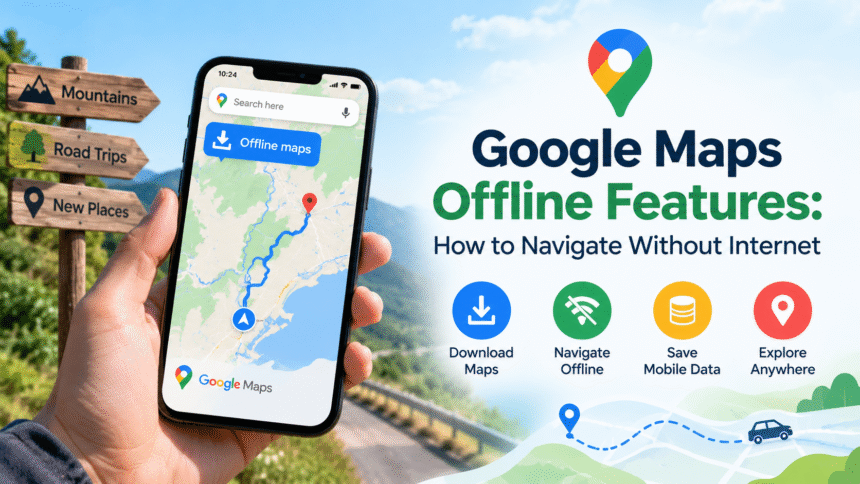
Google Maps has become an essential tool for daily travel, helping people find destinations, explore unfamiliar places, and choose suitable routes. However, mobile internet is not always available. You may experience poor network coverage while travelling through mountains, visiting remote villages, driving on highways, or exploring a new city. In these situations, Google Maps offline features can make navigation much easier.
Google Maps allows users to download maps of selected areas and access them when an internet connection is unavailable. This feature is especially useful for travellers, commuters, and anyone who wants to avoid unnecessary mobile data usage. Understanding how offline maps work can help you plan journeys more confidently and reduce the risk of getting lost.
What Are Google Maps Offline Features?
Google Maps offline features allow users to save map data on their smartphones before travelling. Once a map area has been downloaded, the app can use the stored information to help users navigate in places with limited or no internet access.
Offline maps can display roads, streets, locations, and other geographical details included in the downloaded area. On compatible devices, Google Maps can also provide turn-by-turn driving directions within the available offline map coverage.
However, offline navigation has certain limitations. Features that depend on a live internet connection, such as real-time traffic updates, may not work. Public transport, cycling, and walking directions may also have limited availability offline.
How to Download Google Maps for Offline Use
Downloading an offline map is simple and takes only a few minutes. It is best to complete this process while connected to a reliable Wi-Fi network.
Follow these steps:
- Open the Google Maps app on your smartphone.
- Make sure you are signed in to your Google account if required.
- Search for the city, town, or area you plan to visit.
- Tap the place name or address displayed on the map.
- Open the place details and look for the Download option, or tap your profile picture and select Offline maps.
- Choose the option to select your own map.
- Adjust the map area to include your destination and the surrounding roads.
- Tap Download and wait for the process to finish.
The exact menu labels may vary depending on your device and app version. Once the download is complete, Google Maps can use the saved map when your internet connection is unavailable.
Before starting a journey, check that the downloaded area covers your entire route. If your trip crosses several cities or regions, you may need to download multiple map areas.
Main Benefits of Google Maps Offline Features
1. Navigation Without an Internet Connection
One of the biggest advantages of offline maps is the ability to navigate when mobile data is unavailable. Whether you are travelling through a rural area or entering a location with weak network coverage, downloaded maps can help you find your way.
Offline maps are particularly useful for road trips, camping excursions, and visits to places where mobile signals are unreliable.
2. Reduced Mobile Data Usage
Using online maps regularly can consume mobile data, especially during long journeys. Downloading maps in advance allows you to access stored geographical information without repeatedly downloading the same map details.
This can be helpful for people with limited data plans or travellers using international roaming. Although downloading maps requires storage space and an internet connection initially, offline access can reduce the need for mobile data during the trip.
3. Better Preparation for Road Trips
Planning ahead is important when travelling to unfamiliar destinations. With offline maps, drivers can prepare before leaving home by downloading the relevant regions.
This is particularly beneficial when travelling through mountainous areas, national parks, countryside roads, or locations with inconsistent connectivity. Keeping the map available offline provides an additional layer of preparation if the network suddenly disappears.
4. Useful for International Travel
International travellers may face expensive roaming charges or may not have access to a local SIM card immediately after arriving. Downloading a map before departure can make it easier to navigate from an airport to a hotel or explore nearby areas.
Offline maps do not eliminate every travel challenge, but they can reduce dependence on mobile data when exploring a foreign destination.
5. Access to Saved Map Information
Offline maps preserve essential geographical information for the selected area. Users can view available roads and locations without loading the entire map through the internet.
However, the amount of information available depends on the downloaded region and the features supported by Google Maps. Some business details, opening hours, reviews, and other information may require an internet connection or may not be fully available offline.
What Works and What Does Not Work Offline?
Knowing the difference between offline and online features helps you plan more effectively.
Features generally available offline:
- Viewing downloaded map areas.
- Finding roads and streets included in the saved map.
- Getting driving directions when the entire route is covered by downloaded maps and the feature is supported.
- Using GPS positioning to see your current location on the map, provided your device can receive GPS signals.
Features that may be unavailable or limited offline:
- Real-time traffic information.
- Live road closures and accident updates.
- Alternative routes based on current traffic conditions.
- Public transport, walking, and cycling directions.
- Updated business information, reviews, and live opening hours.
- Online search results for places outside downloaded areas.
GPS location and internet connectivity are different technologies. Your phone can often determine its location using satellite signals without mobile data, but loading updated information and calculating certain routes may still require an internet connection.
Tips for Using Google Maps Offline Effectively
A few simple practices can make offline navigation more reliable.
Download maps before travelling: Do not wait until you lose your internet connection. Save the required map areas while you still have reliable access to the internet.
Choose the correct map area: Include your starting point, destination, and roads along the route. Download additional areas if you expect to travel beyond the selected boundaries.
Check available storage: Offline maps occupy space on your device. Remove old maps you no longer need to free up storage.
Update downloaded maps: Maps can become outdated as roads, routes, and locations change. Google Maps may update eligible offline maps automatically when the relevant settings and conditions allow it. You can also check for updates manually.
Carry a charging option: Navigation can consume battery power, particularly on long journeys. A power bank or car charger can help keep your phone running.
Save important locations: Before leaving, save your hotel address, fuel stations, meeting points, and other important destinations. Keep essential travel details available separately in case you need them.
Review your route in advance: Offline maps do not provide the same live information as connected navigation. Check traffic, road conditions, weather, and possible closures before departure whenever possible.
How to Manage and Update Offline Maps
Google Maps provides tools to manage downloaded areas. Open the app, tap your profile picture, and select Offline maps. From there, you can view saved maps, download new areas, update available maps, or delete maps you no longer need.
Downloaded maps may expire if they are not updated within the period supported by Google Maps. The app may attempt to update them automatically when you are connected to Wi-Fi and other required conditions are met. Checking your maps before a major trip is a sensible precaution.
If you are travelling for several days, consider reviewing the saved areas and available storage before leaving. This is especially important if you expect to cross multiple regions or travel through places where network coverage is limited.
Limitations You Should Know
Although Google Maps offline features are helpful, they are not a complete replacement for online navigation. Offline maps cannot reliably predict congestion, provide current traffic conditions, or always identify new road closures.
Another limitation is map coverage. If your destination falls outside the downloaded area, you may need an internet connection to load additional information or download another map.
Offline navigation also depends on your phone’s battery, GPS reception, and the quality of the downloaded map data. In tunnels, underground parking areas, or locations with obstructed satellite signals, your position may be less accurate.
For remote journeys, keeping a physical map or another navigation option as a backup can be useful.
Conclusion
Google Maps offline features offer a practical way to navigate when mobile internet is unavailable or expensive. By downloading maps in advance, users can view saved roads, access supported driving directions, reduce mobile data usage, and prepare for journeys through unfamiliar locations.
The key is to understand both the benefits and the limitations. Download the correct areas, update your maps, check important routes before departure, and remember that live traffic information may not be available offline.
For more informative guides on technology, digital tools, travel, and everyday topics, visit Daily Fresh News at https://dailyfresh.news/. Stay informed with useful content that helps you make smarter decisions in your daily life.