

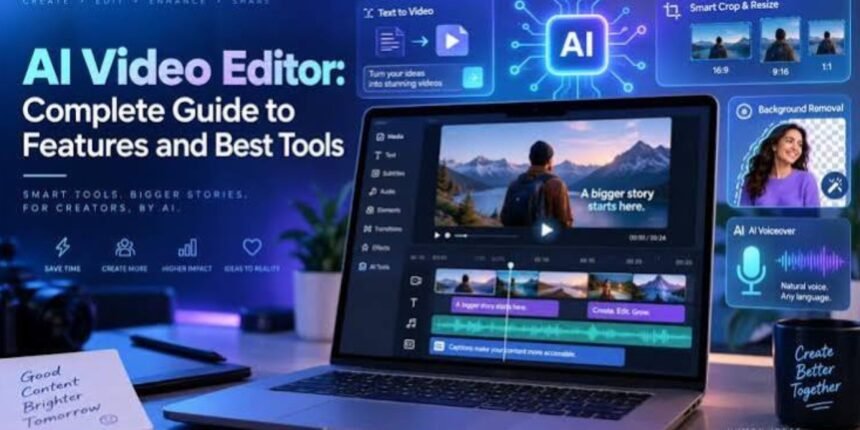
Video editing has become easier than ever with the help of artificial intelligence. Beginners no longer need advanced technical skills or expensive editing software to create engaging videos. AI video editing tools can automatically remove backgrounds, generate subtitles, cut unwanted scenes, improve audio quality, and turn simple clips into professional-looking content.
Whether you want to create YouTube videos, Instagram Reels, TikTok content, educational tutorials, or promotional videos, AI-powered editors can save time and simplify your workflow.
In this guide, we explore some of the best AI video editing tools for beginners, their key features, and how to choose the right one for your needs.
What Are AI Video Editing Tools?
AI video editing tools are software applications that use artificial intelligence to automate or simplify different editing tasks. Instead of manually adjusting every clip, users can rely on features such as automatic scene detection, speech-to-text transcription, smart trimming, and AI-generated effects.
These tools are particularly useful for beginners who want to produce quality videos without spending weeks learning complicated editing techniques.
Some platforms also provide ready-made templates, stock footage, music libraries, and social media formats, making it easier to publish content across multiple channels.
7 Best AI Video Editing Tools for Beginners
CapCut is a popular option for beginners creating short-form videos. It offers automatic captions, background removal, templates, transitions, and various AI-powered editing features. Its straightforward interface makes it useful for social media creators.
Best for: Reels, Shorts, TikTok videos, and beginner-friendly editing.
Website: capcut.com
Canva combines video editing with graphic design. Beginners can use templates, text animations, stock media, and AI-assisted content creation features to produce attractive videos without advanced editing experience.
Best for: Marketing videos, presentations, explainers, and branded social media content.
Website: canva.com
Adobe Express helps users create and edit videos with accessible design tools, templates, text, and visual effects. Its AI-powered features can help with creative tasks, although available features depend on the plan and region.
Best for: Quick promotional videos, social posts, and small-business content.
Website: adobe.com/express
4. VEED
VEED is a browser-based editor with tools for automatic subtitles, transcription, audio cleanup, and other video editing tasks. It is convenient for people who prefer editing online rather than installing desktop software.
Best for: Talking-head videos, tutorials, interviews, and captioned content.
Website: veed.io
Descript lets users edit recorded content through a transcript. Removing words from the transcript can remove the corresponding sections of the recording, making it easier to clean up interviews, podcasts, and instructional videos.
Best for: Podcasts, screen recordings, interviews, and educational content.
Website: descript.com
6. InVideo AI
InVideo AI helps turn written prompts or scripts into video drafts using visuals, voiceovers, and other elements. It can be a useful starting point for creators who want to make videos without recording every scene themselves.
Best for: Explainer videos, faceless YouTube content, and promotional videos.
Website: invideo.io
7. Runway
Runway focuses on AI-assisted visual creation and video transformation. Depending on the available model and plan, users can generate video clips, modify visuals, and experiment with creative effects.
Best for: Creative projects, experimental visuals, and AI-generated video scenes.
Website: runwayml.com
Note: Features, free-plan limits, export options, and pricing can change. Check each platform’s official website before choosing a subscription.
Key Features Beginners Should Look For
Before choosing an AI video editor, consider which features will make your work easier.
-
Automatic subtitles: Converts speech into captions, reducing manual typing.
-
AI background removal: Helps separate people or objects from their backgrounds.
-
Smart trimming: Makes it easier to remove pauses, mistakes, and unnecessary footage.
-
Text-to-video generation: Creates video drafts from written prompts or scripts.
-
Audio enhancement: Helps reduce background noise and improve speech clarity.
-
Ready-made templates: Provides layouts for social media posts, ads, and presentations.
-
Easy exports: Allows you to save videos in suitable resolutions and aspect ratios for your intended platform.
Not every tool includes all these features in its free plan, so compare the specific functions you need before signing up.
How to Choose the Right AI Video Editor
The best tool depends on the type of content you plan to create.
| Your requirement | Tool to consider |
|---|---|
| Short videos and social media clips | CapCut |
| Videos with graphics and templates | Canva |
| Quick online editing | VEED |
| Podcast and transcript-based editing | Descript |
| Videos created from text prompts | InVideo AI |
| Creative AI-generated visuals | Runway |
| Simple promotional content | Adobe Express |
Beginners should start with one platform rather than learning several tools at once. Try its free features, edit a short sample video, and check the export quality before investing in a paid plan.
Tips for Creating Better Videos With AI
AI tools can speed up the editing process, but good content still depends on planning and creativity. Follow these simple tips to improve your results.
Start with a clear script. Decide what your video should communicate before editing. A short, well-organized script makes the final result easier to follow.
Choose suitable visuals. Make sure the footage matches the topic instead of relying entirely on automatically selected clips.
Check AI-generated captions. Automatic transcription can make mistakes, especially with names, technical terms, and different accents.
Keep the opening engaging. Use the first few seconds to introduce the topic or explain why viewers should continue watching.
Use music carefully. Background music should support the message without overpowering the narration. Check the licensing terms for any music or stock footage you use.
Review the final export. Watch the entire video before publishing to identify awkward cuts, spelling errors, audio problems, and visual inconsistencies.
Are AI Video Editing Tools Free?
Many AI video editing platforms offer free plans or limited free features. However, some restrict video resolution, watermark removal, export length, storage, or access to premium AI features.
For someone just starting out, a free plan may be sufficient for learning basic editing and creating simple social media videos. Paid subscriptions become more useful when you need advanced effects, higher export quality, greater usage limits, or a regular content production workflow.
Always review the current pricing and usage restrictions before committing to a subscription.
Conclusion
AI video editing tools have made video creation more accessible to beginners, content creators, students, and businesses. From quick social media edits with CapCut to transcript-based editing in Descript and AI-generated visuals with Runway, there are options for different needs and experience levels.
The right choice depends on your content format, budget, and editing goals. Start with a simple project, explore the features available to you, and focus on producing clear, engaging videos rather than using every effect.